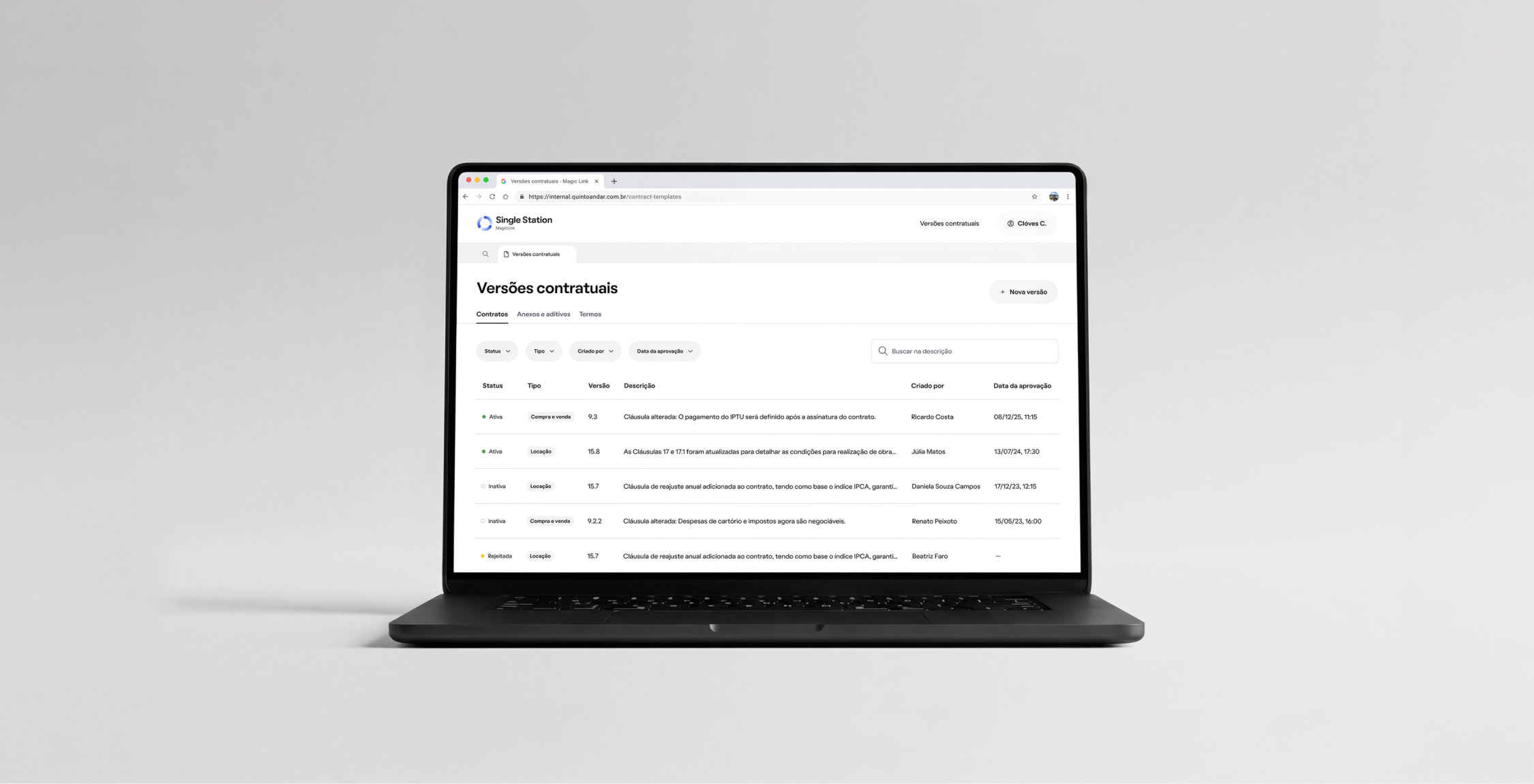
Case study
Contract Template Management
QuintoAndar | UI Design, Systems Thinking, Product Strategy, Stakeholder Management
In 2026, QuintoAndar was preparing for its IPO and needed to eliminate compliance risks built up over the years. My team, FR Transact, handled rental transactions from offer to contract signing, and one of the risks we owned was how contract and attachment templates were managed. Reducing it was one of our OKRs for H2 2026.
Legal waited 4 to 6 weeks for engineering to publish any template change, while analysts manually edited the legal text of attachments on 8% of all contracts, with no permissions or audit trail.
This initiative set out to give Legal autonomy over templates, give Operations a simpler and safer way to create attachments, and make every change traceable.
My Role
I was the Staff Product Designer on this initiative, leading design from discovery through delivery and working closely with legal, operations and engineering along the way.
Main responsibilities
- Mapping legal and operations workflows, pain points and workarounds.
- Consolidating and sharing findings with the team.
- Defining and designing the solution.
- Building prototypes and validating them with stakeholders.
- Handing off to engineering and following implementation through launch.
Understanding
Process
The Legal and Operations teams play a key role in contract templates management, but they were working with processes and tools that didn't support them.
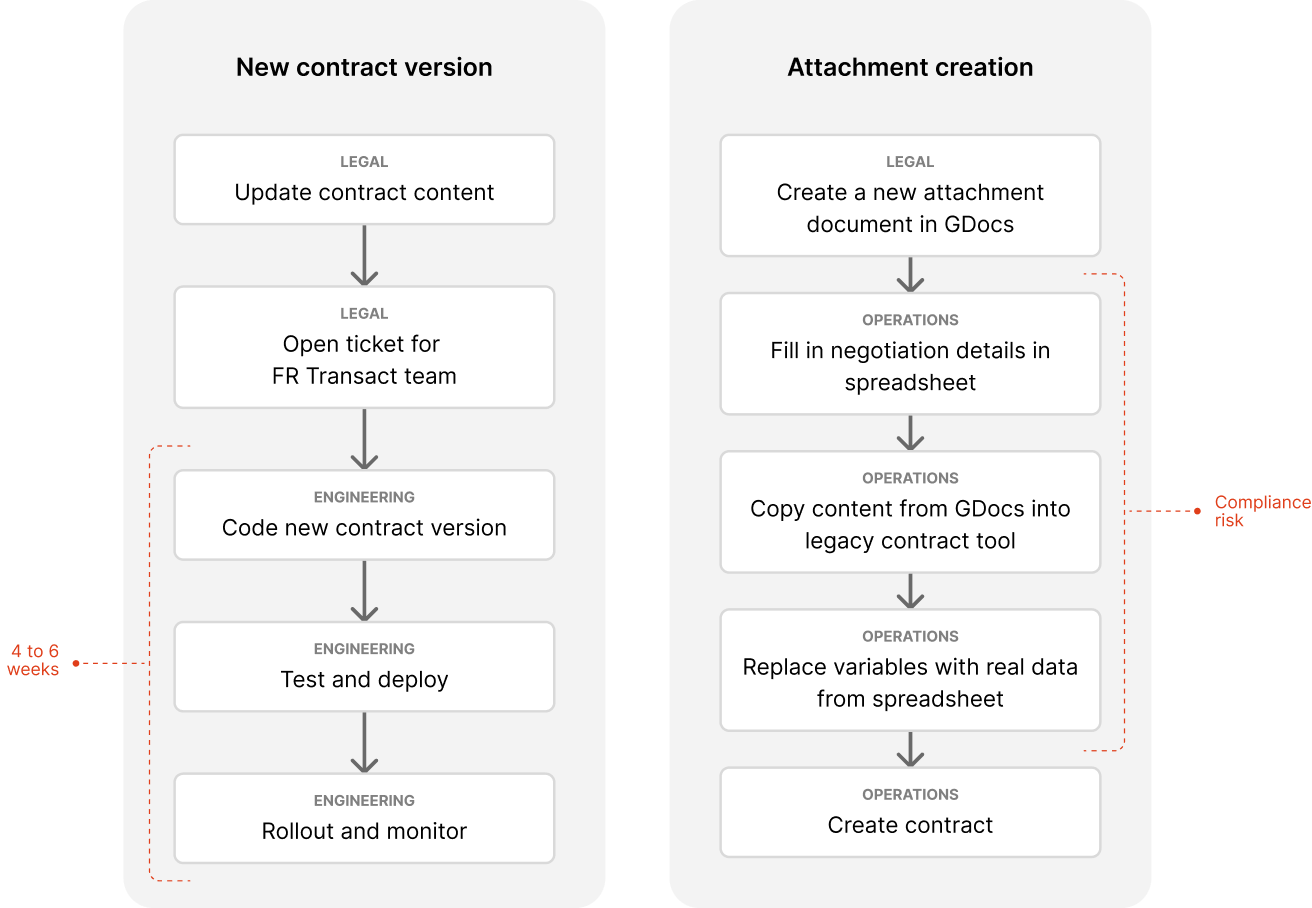
Pain Points
Findings from interviews with Legal and Ops teams.
For Legal team
- They felt a lack of autonomy, since every version change depended on Engineering, a lack of auditability and a lack of standardization. The last two map directly to compliance.
- Also, because attachments were being edited by hand, they feared that something could end up exposing the company legally.
For Operations team
- Bureaucratic and manual processes, spread across parallel tools, could lead them to errors that would end up registered in the contract.
- They said they need the freedom to edit attachments, because every negotiation has details a standard template can't cover. That freedom was exactly what created the risk the initiative had to close.
Problem
Legal depends on engineering
Legal owns the content but can't edit it, every change needs an engineer to rewrite and redeploy the HTML.
Manual, error-prone handoff
Moving text from Google Docs to hand-coded HTML creates room for mistakes in the legal wording, so every change needed extensive testing before release.
Slow updates
Each change took 4 to 6 weeks and had to compete with the rest of engineering's priorities, leaving compliance fixes and clause updates waiting in line.
Uncontrolled editing of legal content
Analysts can rewrite attachment clauses freely, with no permissioning.
Fragmented, manual process
Analysts juggle a spreadsheet, Google Docs and a legacy tool to produce a single attachment.
No audit trail
There's no record of who changed what, which is a serious gap for a company heading into an IPO.
Solution
For this initiative, success meant closing the compliance gap: Legal in control of the content, every change on record and no free editing of legal text.
I designed the full journey, from template registration by the Legal team to its actual use by Ops team in a real contract, working alongside the design team that owns the MagicLink platform to align new structure and components before building anything.
For the Legal team, I built two flows: Contract template management and Attachment template management, each with a list, detail view of templates and new version creation. Giving them autonomy and control over all contract/attachment templates.
For the Operations team, I built a feature in the Contract page where the analyst picks the right template for the negotiation, fills in the variables, sees a preview of the final document and adds it straight to the contract. That replaces a chain of spreadsheets, Google Docs, copy and paste, and free text editing.
New process
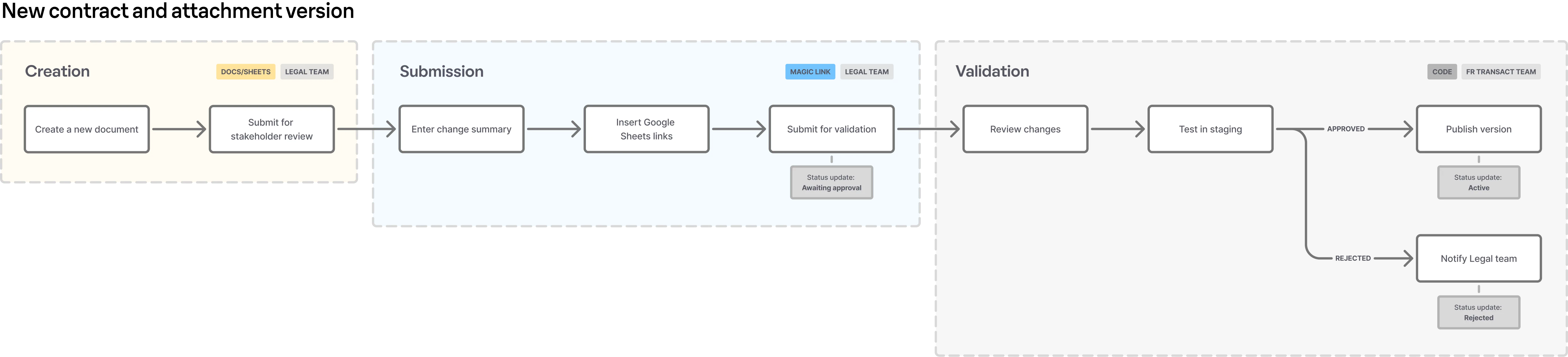
Together with the FR Transact and Legal teams I defined a new process to update contract templates, where the Legal team kept their own actual process of creating and reviewing a new template, but using our new tool to upload the doc.
We agreed that the FR Transact engineering team would still validate the doc - variables, structure, conditions - in the first version of Contract template management. The ideia is to build something even more robust and give even more autonomy to the Legal team in the near future.
Contract Template Management
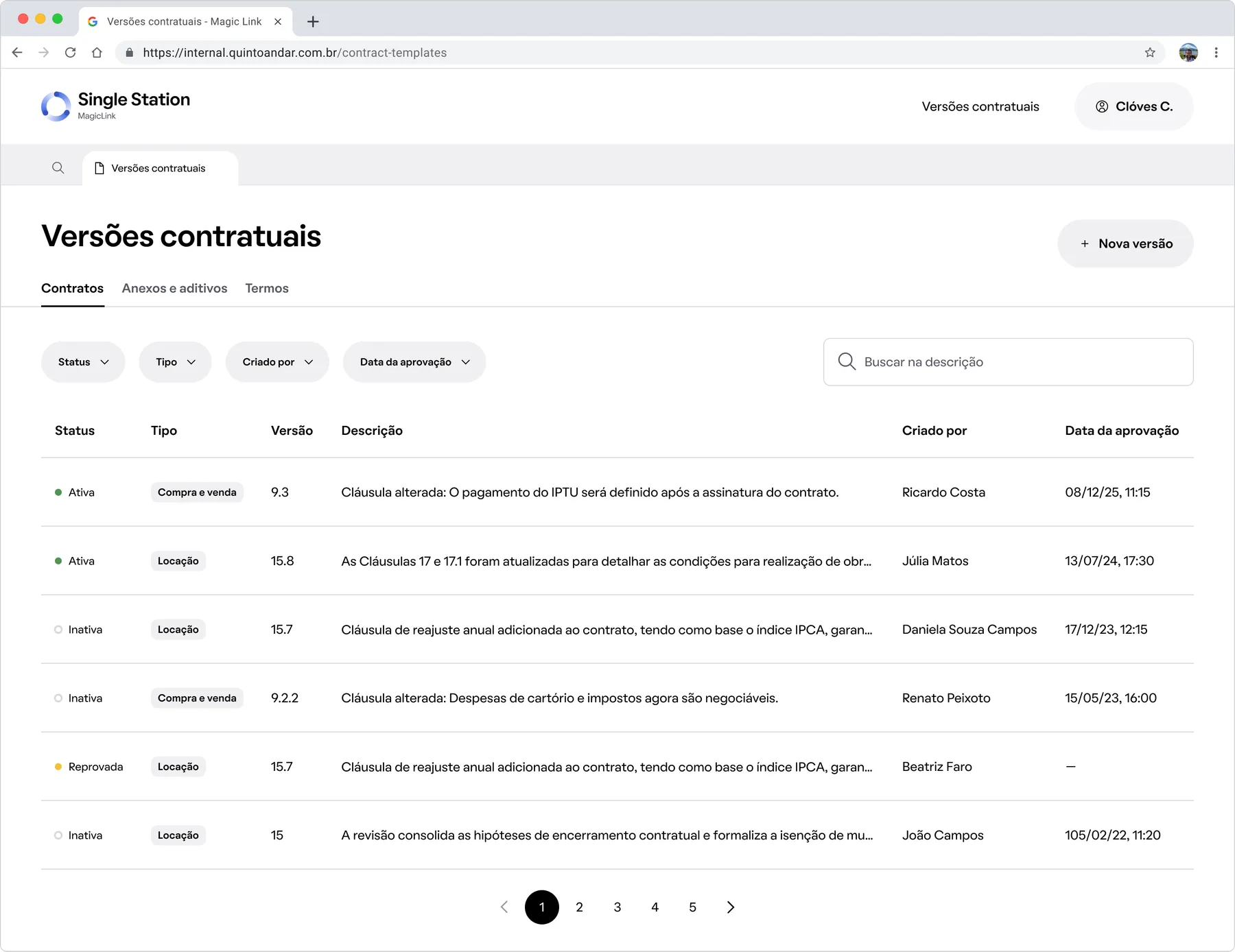
The contract version list: status, type, and who approved each one.
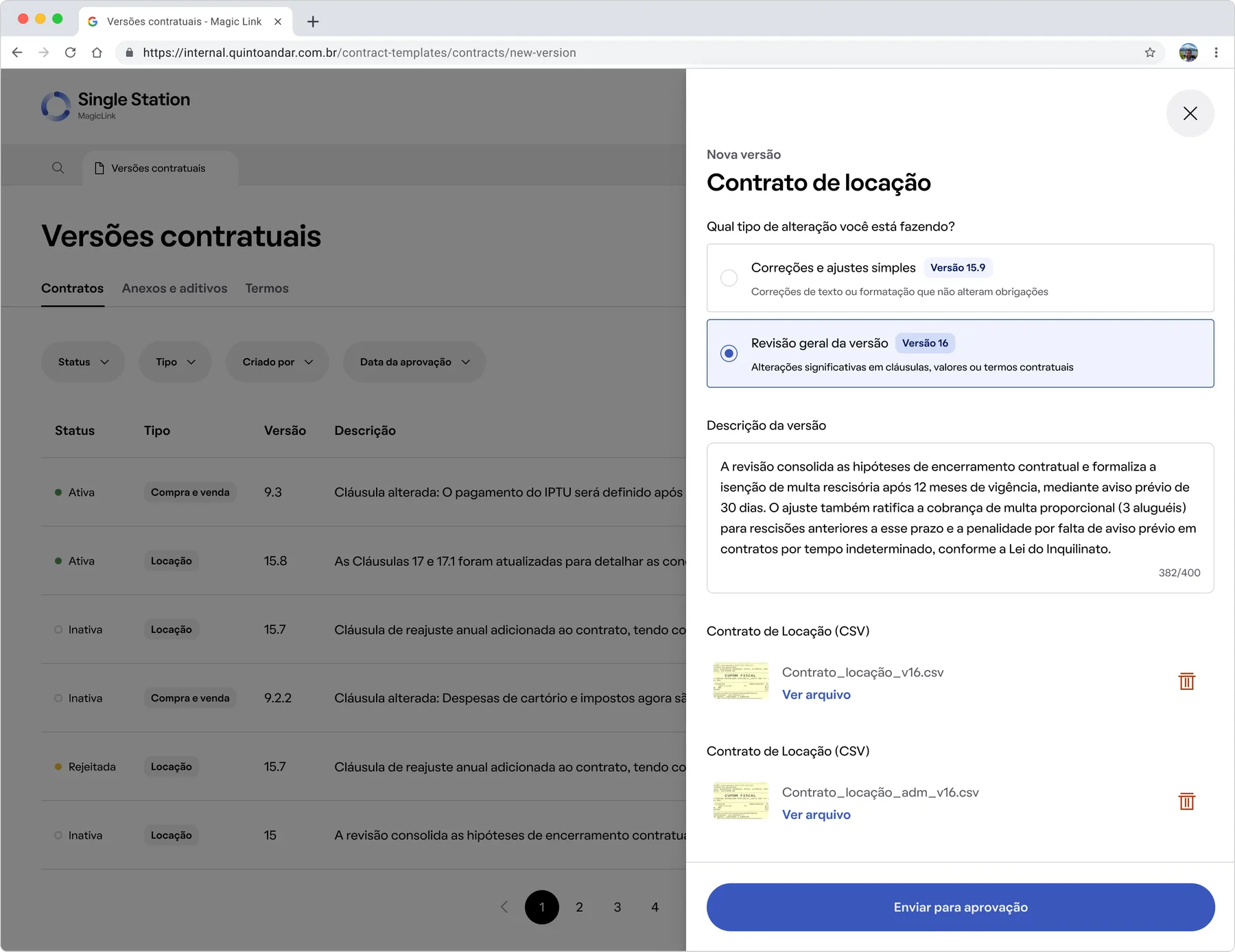
Starting a new version: pick the type, describe the change, and link the spec sheet.
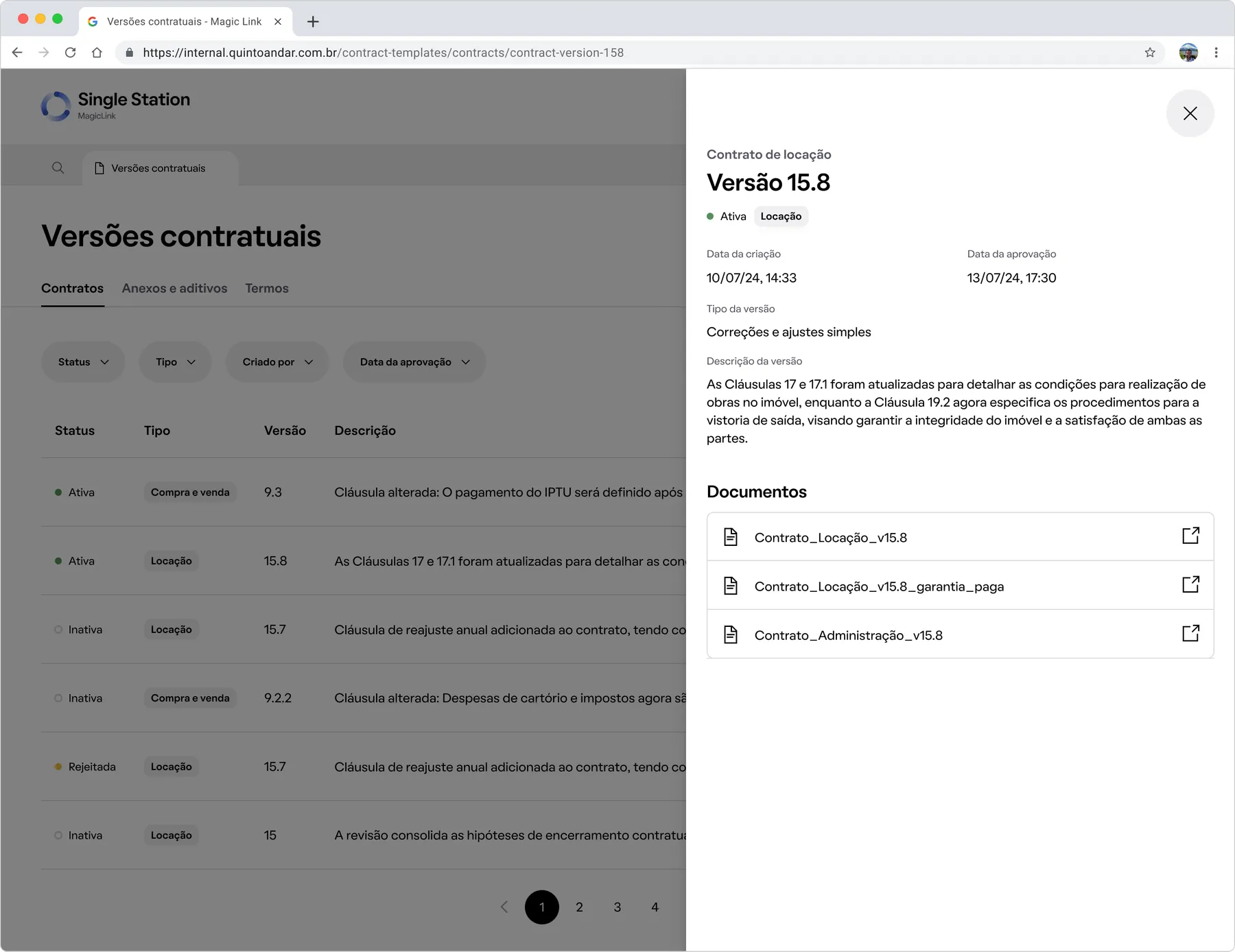
Reviewing a version: approval status, spec sheet, and who approved it.
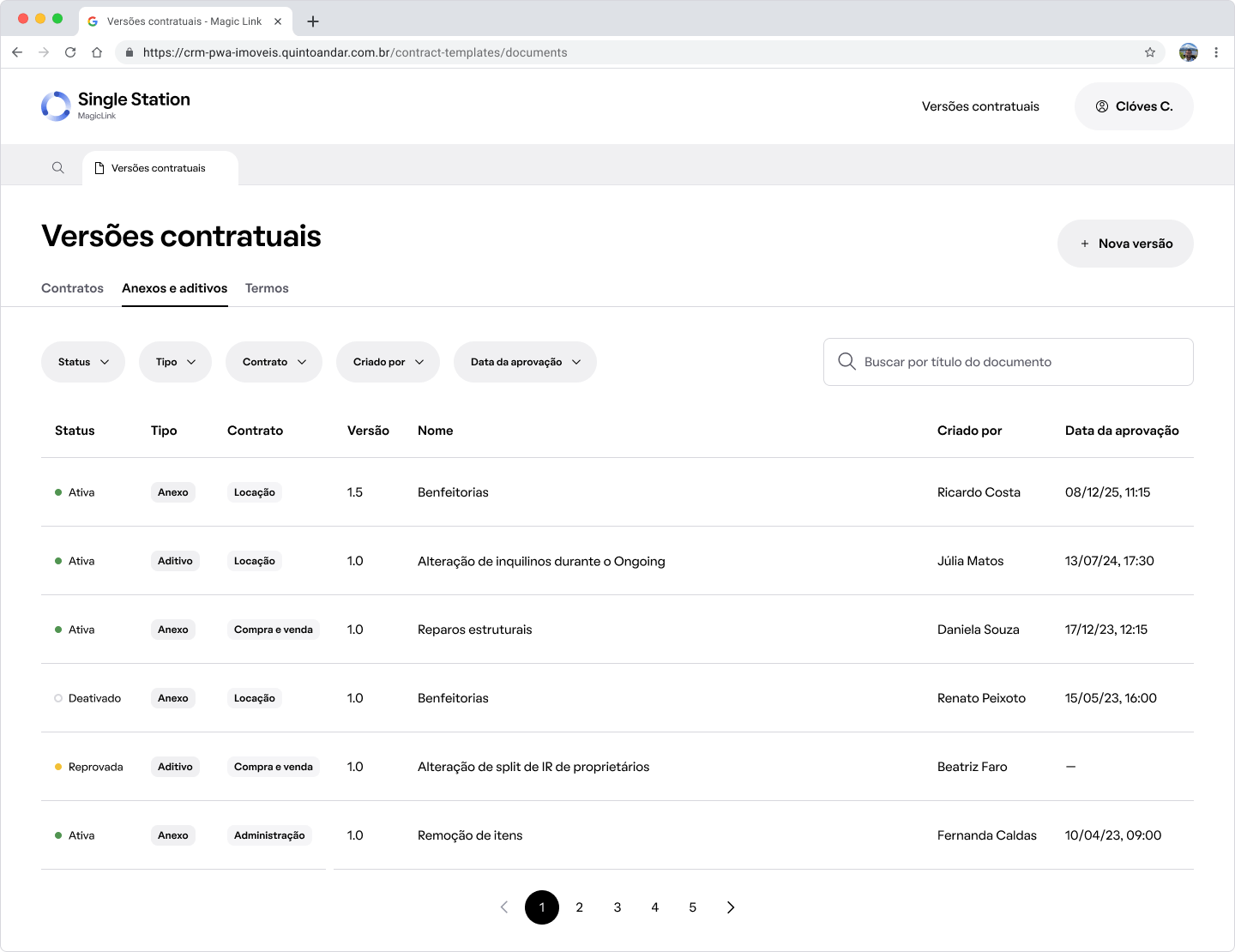
The attachment version list, on its own tab.
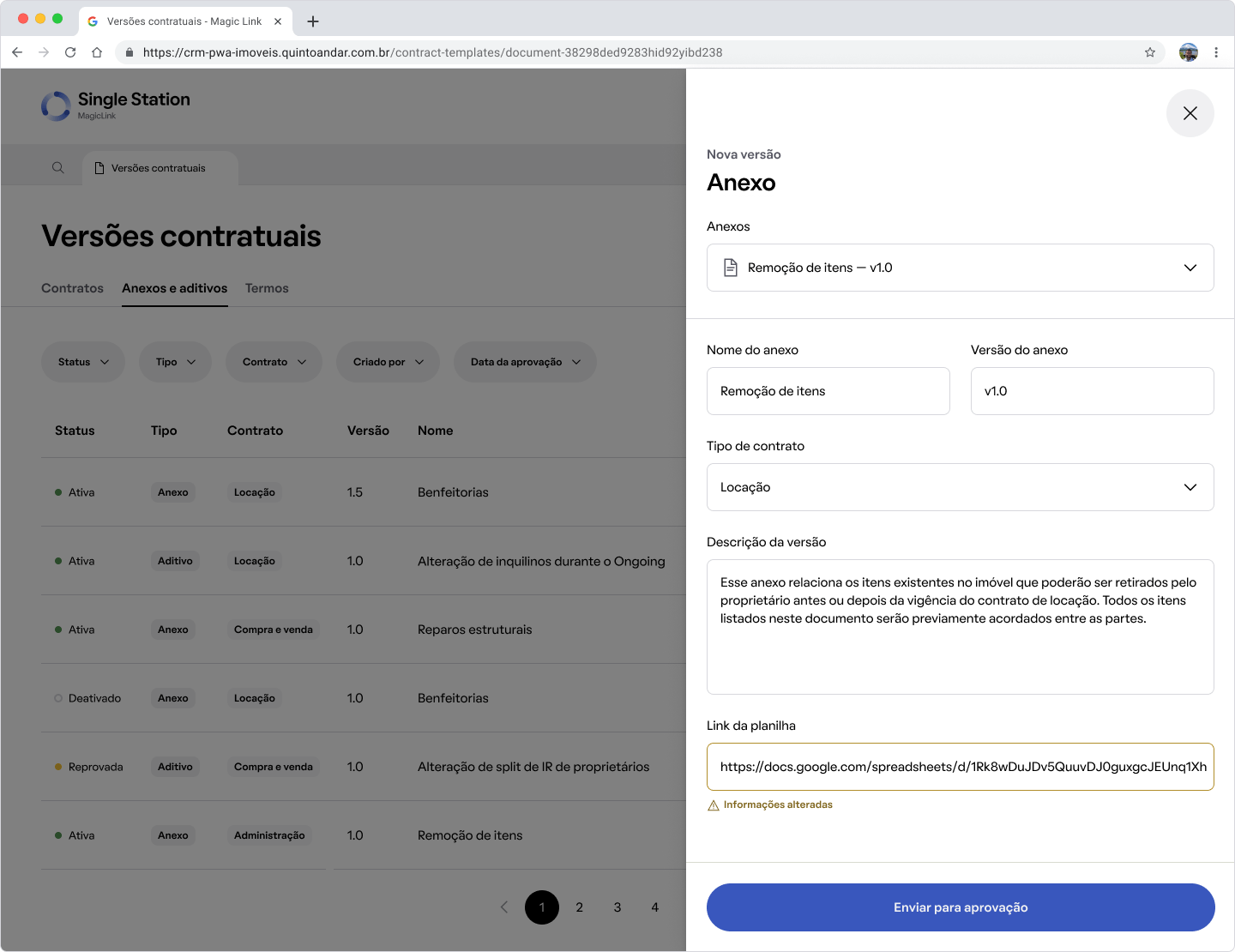
Starting a new version: name it, set the contract type, and link the spec sheet.
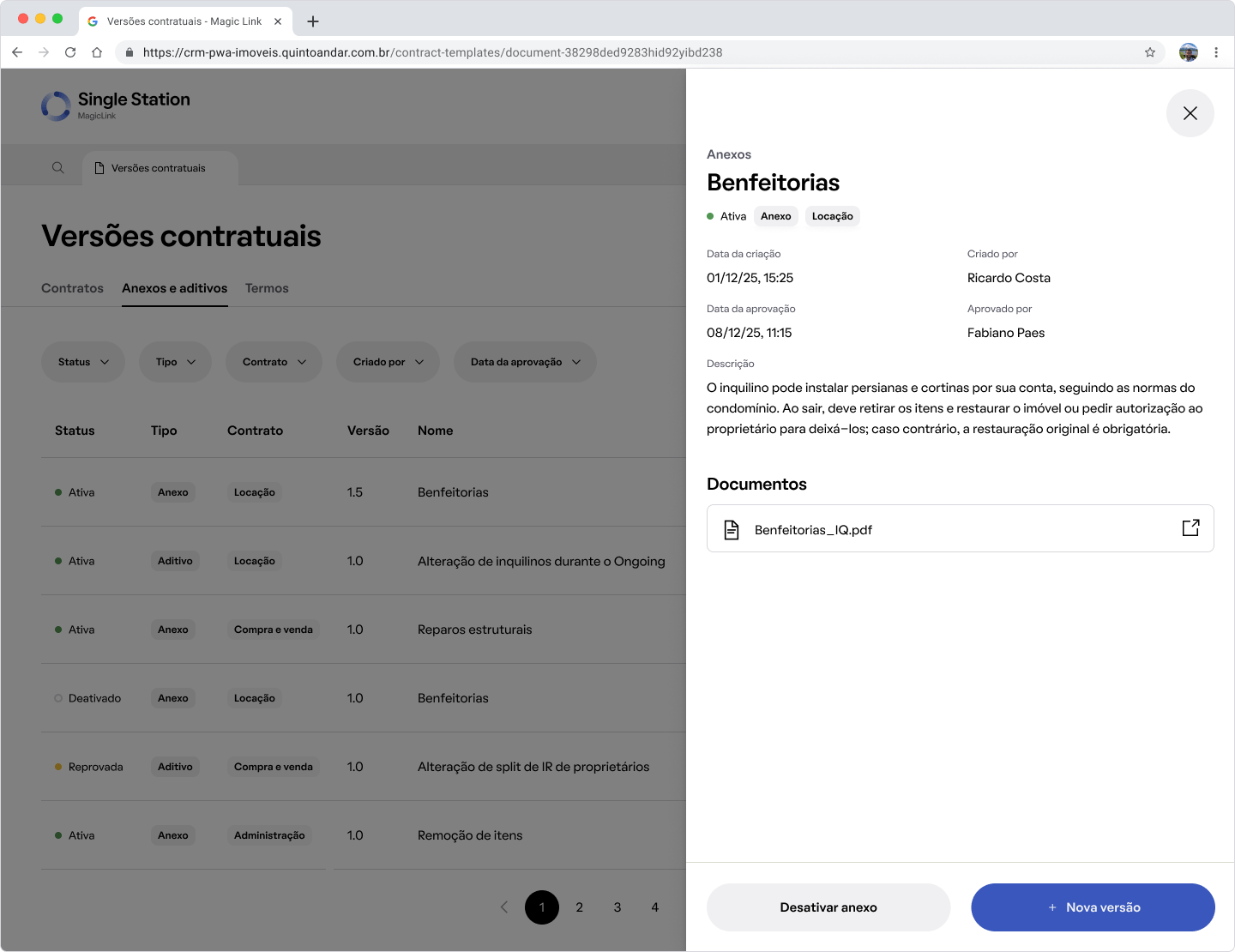
Reviewing an approved attachment: status, description, and linked document.
Adding an attachment to a contract
Approved attachment templates become available in contract management, where the analyst chooses the attachment type and fills in only the variables enabled for editing, without touching the body of the attachment. I designed this tool as well.
This is where the pieces connect and the value is delivered: automation for Legal, ease of use for Operations and less compliance debt.
Scaling with AI-assisted tooling
There are about 15 attachment templates already documented and structured by the legal team. I used an internal AI-assisted design tool built by the platform team to turn that into a repeatable routine: upload the legal team's spec document for a given attachment, then make small adjustments from there. That saved building each drawer in MagicLink by hand, one at a time.
For the property improvements template, I took that further, going from a static design to a functional HTML prototype myself, working out interaction details like conditional field visibility and transitions directly in code, using the same approach to get a working front end into the shared staging environment early, so the backend team can start building against it.
Prototype of the property improvements attachment drawer, built from the legal team's spec document.
Impact
Success here means the compliance gap closes and the legal team owns something that was always theirs.
- 1.Closes a concrete compliance risk tied to the company's IPO preparation, shipping a contract and attachment template management tool, both for exclusive use by the legal team.
- 2.Removes the engineering bottleneck on contract updates. What used to take 4 to 6 weeks is now managed directly by the legal team.
- 3.Closes the audit and permissioning gap on attachments, previously editable by any analyst.
- 4.Sets up the foundation to scale: templates now live as structured data, opening the door to native in-product signing down the line.
Files and Prototypes
More work
Case study
Third-party Claims
Third parties in a car accident had to call support to file a claim, driving cost and frustration. I designed and validated a digital self-service journey that moved 40% of claims off the phone within a month of launch.
Youse Seguros | UI Design, UX Design, User Research, Usability Testing
Case study
Loft App
Loft had no mobile app, only a slow, high-bounce mobile site. As founding product designer, I led the app from MVP to a personalized native experience, raising lead-to-schedule conversion 16% and ranking top 10 in its App Store category.
Loft | UI Design, UX Design, User Research, Product Strategy
Article
Building a Skill for Communications Visibility
QuintoAndar's messaging system had grown to 500+ rules and 2,500+ templates with no unified view of what a customer actually received. I built an AI agent skill that maps any communication journey on demand, no ticket to engineering needed.
QuintoAndar | AI Tooling, Internal Tools, Workflow Automation